
Run your car rental from booking to invoice, in one system.
Drivly handles reservations, fleet, check-out and check-in, contracts and invoices, so your team stops juggling spreadsheets and paper.
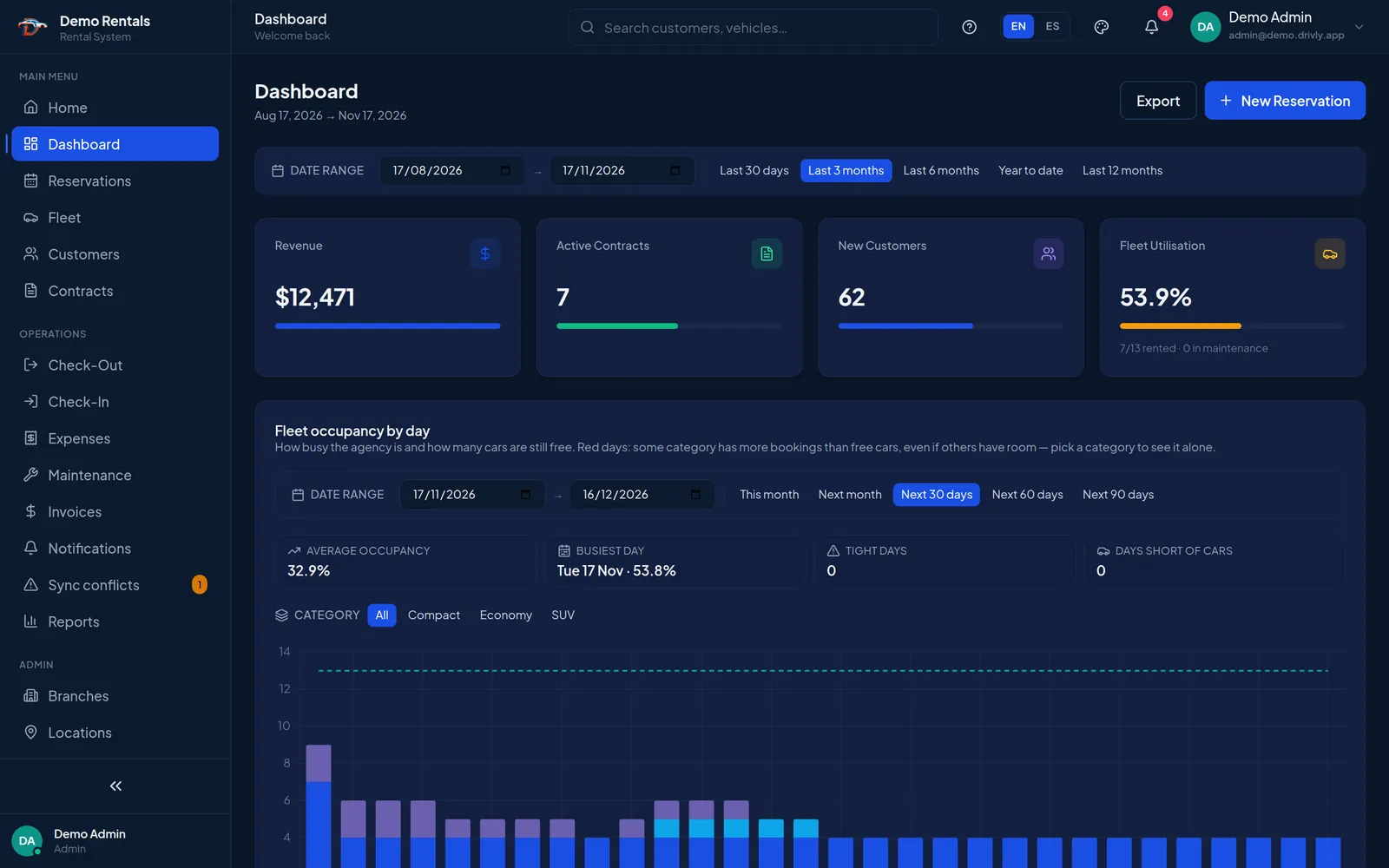
- See which cars are free, rented or overdue at a glance
- Guided check-out with inspection and contract PDF
- Works on any device and keeps working offline
- Independent rental agencies
- Multi-branch operators
- Airport & hotel delivery
- Tourist destinations
One flow for every rental
Each rental moves through the same three stages, and the paperwork is produced along the way.
-
01
Book
Create the reservation in seconds with just a customer name, a vehicle category and the dates. Complete the details later.
-
02
Hand over
Check-out walks you through customer, vehicle, departure inspection and contract, then releases the keys.
-
03
Return and invoice
Check-in records fuel, mileage and extras, closes the contract and generates the invoice.
Everything the counter and the back office need
Front-desk operations and business numbers live in the same place, so nobody re-types anything.
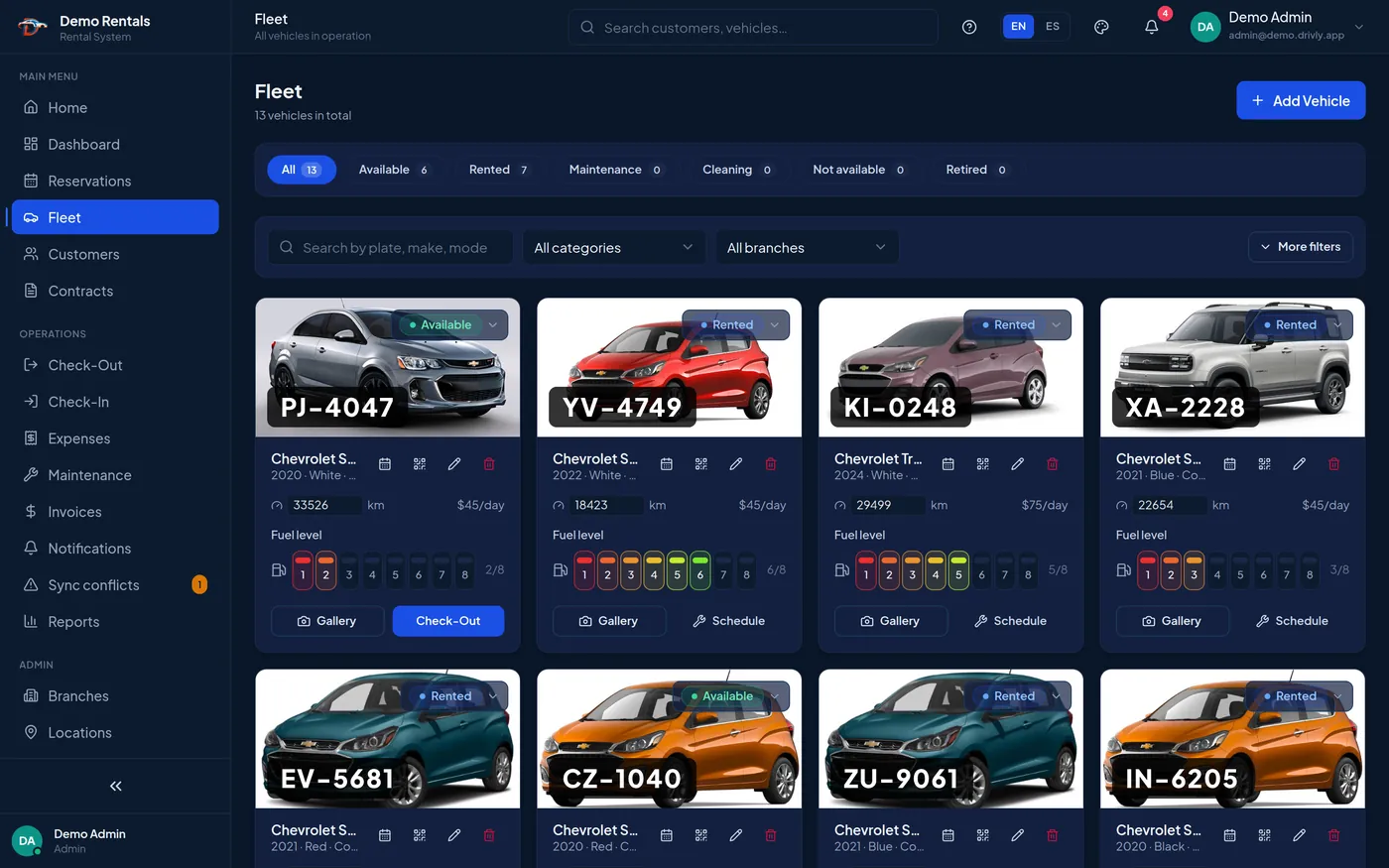
Your whole fleet on one screen
Status, mileage, fuel level, daily rate and photos for every vehicle. Filter by category or branch and start a check-out from the card.
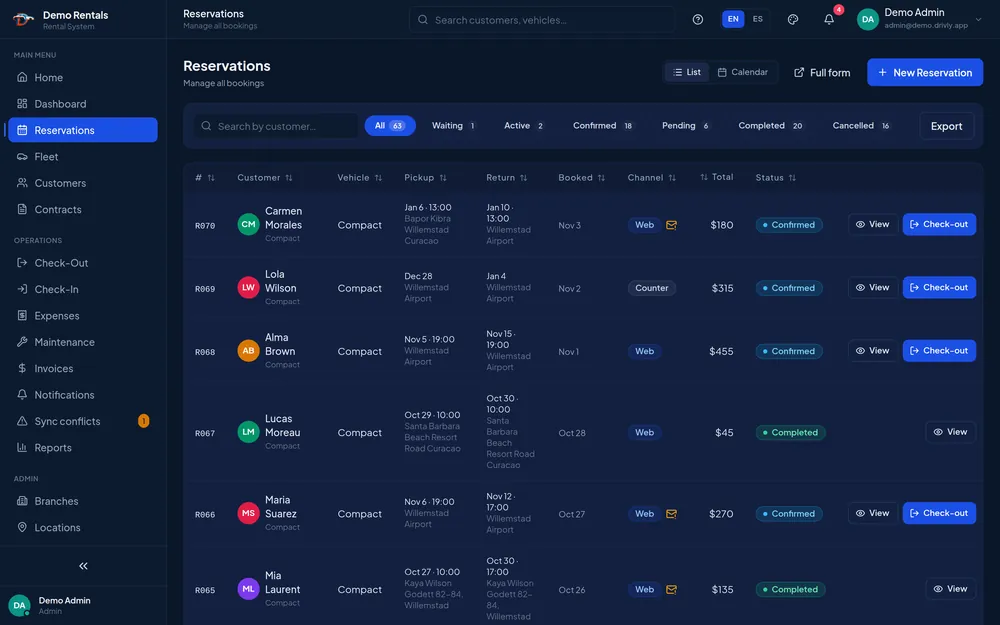
Reservations in a list or calendar
Counter and web bookings in one place, with pickup and return points and a status for each.
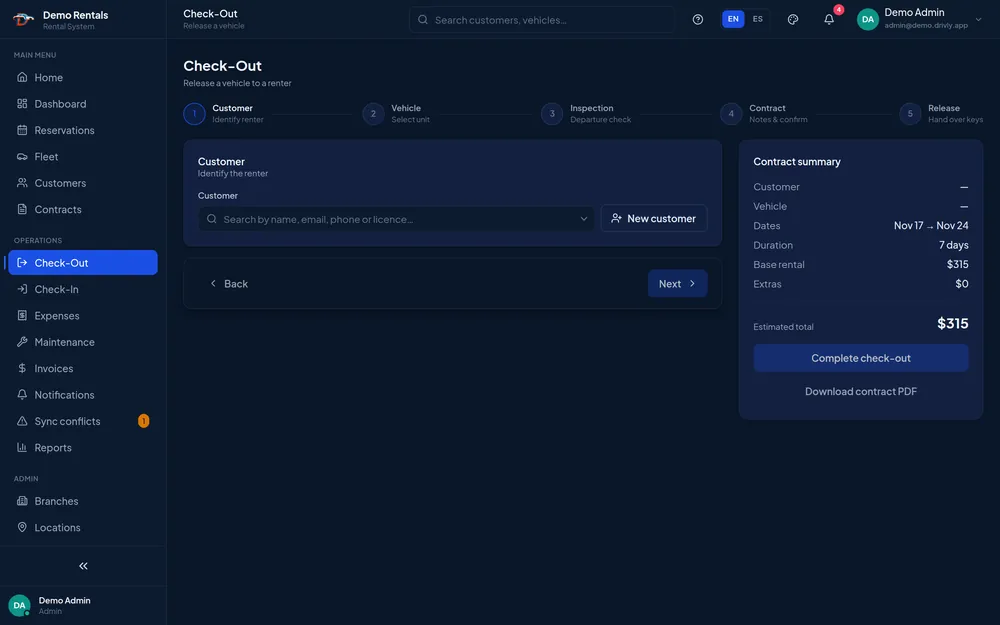
Check-out in five guided steps
Customer, vehicle, inspection, contract, release. The running total and the contract PDF are always in view.
-
Contracts and invoices
Rental agreements with extensions and discounts. Invoices are generated from closed contracts and tracked from draft to paid.
-
Occupancy you can plan with
See fleet occupancy day by day and spot the dates when a category has more bookings than free cars.
-
Rates, extras and discounts
Daily, weekly and monthly price plans by vehicle category and branch, plus extras and discount types.
-
Maintenance and expenses
Preventive service alerts per vehicle, and operating costs logged by category with approval.
-
Reports that export
Revenue, expenses, net income and utilisation per vehicle for any date range, exported to PDF or Excel.
-
Branches, users and audit trail
Multiple branches and pickup locations, user accounts for your staff, and an activity log of who did what.
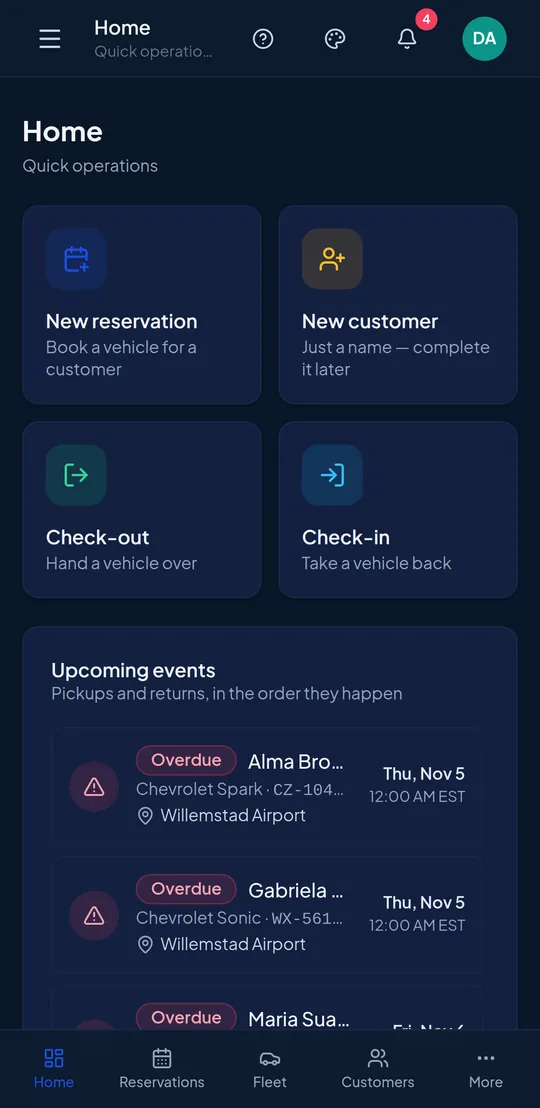
Hand over cars where the customer is
Drivly installs on a phone or tablet like an app. Deliver at the airport, a hotel or the lot, and keep working when the signal drops.
- Quick actions for new reservation, check-out and check-in
- Upcoming pickups and returns in the order they happen, with overdue rentals flagged
- Changes made offline sync when you reconnect, and conflicts are flagged for review
- English and Spanish, switchable per user
See Drivly with your own fleet in mind
Tell us how many vehicles and branches you run. We’ll walk you through a live demo and answer your questions.
-
+1 (754) 306-9953 Mon–Fri, 9am–7pm (ET)
-
Parkland, Florida 6331 NW 95th
Parkland, FL 33076 Remote LATAM / EU / US
Thanks, your request is in.
We’ll get back to you within one business day. For anything urgent, call +1 (754) 306-9953.
Questions before you book a demo
What is Drivly?
Drivly is car rental management software. It covers the whole rental cycle in one system: reservations, fleet status, vehicle check-out and check-in, contracts, invoices, expenses, maintenance and reports.
Does Drivly work on phones and tablets?
Yes. Drivly runs in the browser on any device and can be installed on a phone or tablet like an app, so staff can hand over and receive vehicles in the lot or at a delivery point.
What happens if the internet connection drops?
You can keep working. Drivly stores your changes on the device and syncs them when the connection returns. If two people edited the same record in the meantime, it flags the conflict for you to review.
Can I manage more than one branch?
Yes. You can set up branches and pickup or return locations such as airports and hotels, and define rates by vehicle category and branch.
Which languages does Drivly support?
The interface is available in English and Spanish, and each user can switch between them at any time.
How much does Drivly cost?
Plans scale with the number of branches you operate. Request a demo and we will recommend a plan based on your fleet and locations.
Know where every car is, and what it earns.
Book a walkthrough and see a rental go from reservation to invoice.